1. Business Problem Introduction
As organizations grow, people operations become harder to control. Teams lose time updating employee records across spreadsheets. Payroll teams recheck numbers every month to avoid payment mistakes. Compliance teams track labor laws, tax rules, and reporting deadlines using manual reminders. Small errors create serious consequences such as delayed salaries, incorrect tax filings, or audit flags.
Scaling increases this pressure. A headcount of ten feels manageable. A headcount of one hundred does not. Processes that once worked start breaking down. Managers spend hours chasing approvals. HR teams respond to repetitive questions instead of focusing on workforce planning. Finance teams struggle to reconcile payroll data with accounting systems.
These challenges create hidden costs. Lost time, compliance risk, employee dissatisfaction, and operational friction all affect the bottom line. Many businesses underestimate how quickly these issues grow as hiring accelerates.
2. What This Topic Means for Businesses
HR software refers to digital systems that manage employee data, payroll, compliance, and workforce processes in one structured environment. Some systems focus mainly on payroll. Others cover the full employee lifecycle from hiring to exit.
These platforms sit at the center of daily operations. They connect HR, finance, and leadership teams. Decisions around salaries, benefits, taxes, and reporting flow through them.
Growing companies benefit most from such systems. Startups with very small teams may manage with basic tools for a short time. Regulated industries, distributed teams, and fast-scaling businesses face stronger pressure to adopt structured HR systems earlier.
Understanding total cost matters more than understanding license price alone. Businesses pay in money, time, training, and long-term commitments. A low entry price does not always mean low overall cost.
3. Core Explanation: How HR Systems Work in Practice
Employee Data Handling
HR systems store employee profiles in a central database. This includes personal details, job roles, compensation, documents, and policy acknowledgments. Controlled access protects sensitive information. Role-based permissions limit who can view or edit data.
Data consistency reduces errors. Updates reflect across payroll, reporting, and compliance records automatically.
Payroll Processing
Payroll engines calculate salaries based on attendance, leave, bonuses, deductions, and statutory rules. The system applies tax logic, social contributions, and local regulations. Payment files integrate with banks or payment providers.
Automation reduces manual calculations. Teams still review outputs, approve runs, and handle exceptions such as reimbursements or corrections.
Compliance Tracking
HR platforms track labor law requirements, tax filings, and statutory reports. Some systems update rules based on jurisdiction. Others require manual configuration by administrators.
Audit trails log changes to employee records, salary updates, and approvals. These logs support internal reviews and external audits.
Reporting and Audits
Built-in reports support payroll summaries, headcount trends, cost analysis, and compliance documentation. Advanced platforms allow custom reports and data exports for finance or auditors.
Reliable reporting saves time during audits and financial reviews. Data accuracy depends on correct setup and disciplined usage.
4. Comparison Table: Manual Processes vs HR Software
| Area | Manual HR Management | HR Software Systems |
|---|---|---|
| Employee records | Scattered files and spreadsheets | Centralized digital profiles |
| Payroll processing | Repetitive calculations and checks | Automated rules with approvals |
| Compliance handling | Manual tracking and reminders | System-driven alerts and logs |
| Operational impact | High time consumption | Reduced admin workload |
| Cost visibility | Hidden time and error costs | Clear operational expense |
| Risk exposure | High risk of errors | Lower risk with audit trails |
5. Business Evaluation Checklist
✔ Central employee data storage
✔ Payroll automation with review controls
✔ Compliance tracking and audit logs
✔ Reporting for finance and audits
✔ Integration with accounting systems
✔ Support for future headcount growth
This checklist helps teams assess needs before reviewing vendors or pricing plans.
6. Pricing and Cost Structure Explanation
HR software pricing follows several common models.
Per Employee Per Month
Many vendors charge based on active employee count. Costs scale as headcount grows. This model aligns expense with usage yet increases budget pressure during rapid hiring.
Add-On Modules
Core HR may come with payroll, compliance, performance, or recruitment as optional modules. Businesses often start small and add features later. Each addition increases monthly cost.
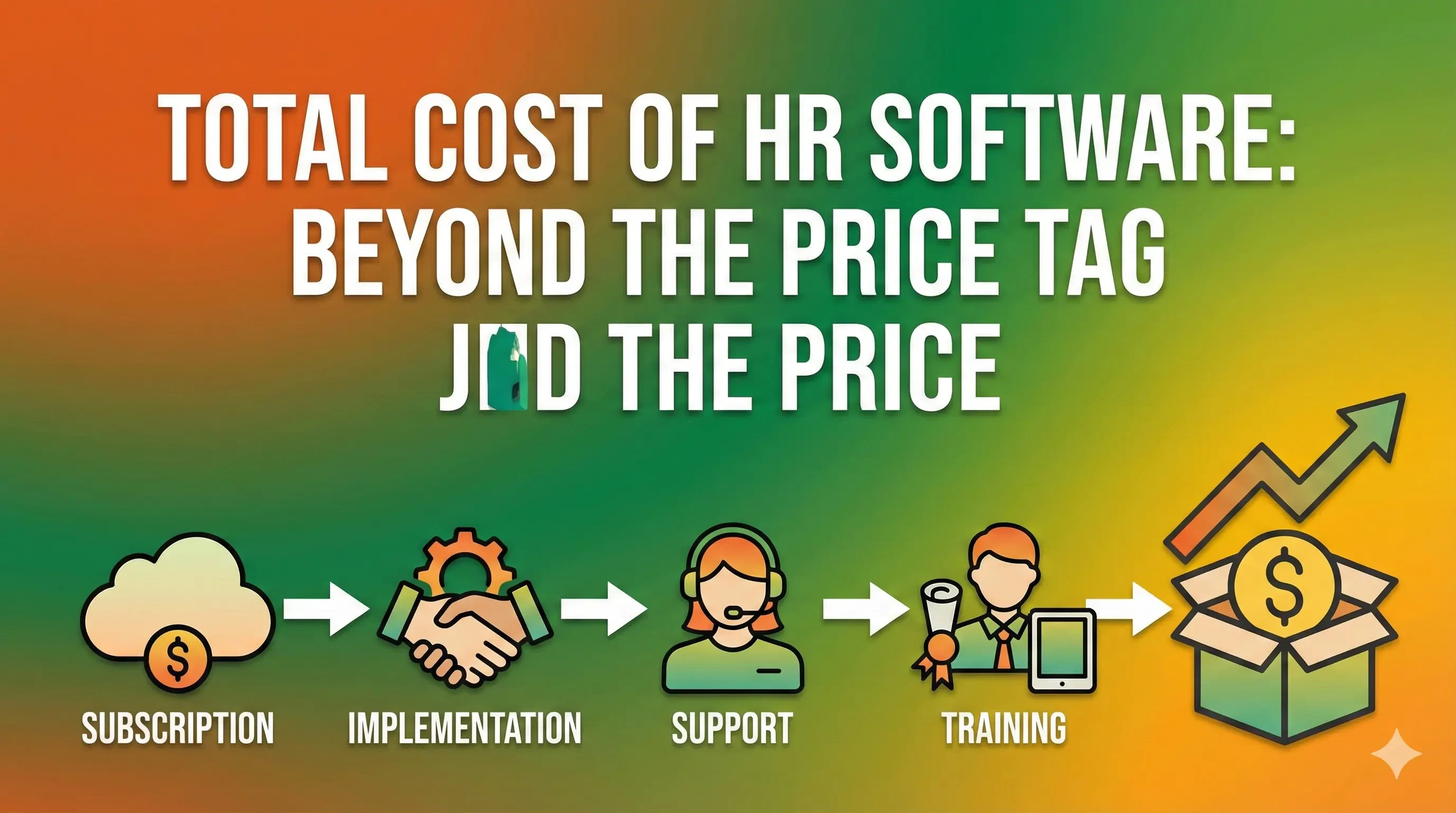
Implementation and Onboarding Costs
Some platforms charge one-time setup fees. These cover data migration, system configuration, and training. Complexity increases cost. Multi-country payroll setups require more effort.
Support and Customization
Advanced reporting, integrations, or dedicated support may require premium plans. Long-term cost depends on how much customization the business demands.
Prices vary due to company size, geography, compliance scope, and required integrations. Public price lists rarely show full cost without a needs assessment.
7. Risks, Limitations, or Trade-Offs
HR software introduces its own challenges.
Setup requires time and attention. Poor configuration leads to payroll mistakes or reporting gaps. Teams need trained administrators to manage changes.
Costs may rise over time. Add-ons, support upgrades, and headcount growth increase spending. Budget planning must account for this progression.
Rigid systems may limit flexibility. Some workflows force businesses to adapt their processes. Customization solves this issue yet increases cost and maintenance effort.
8. Common Mistakes Businesses Make
-
Choosing software before mapping internal processes
-
Ignoring local compliance needs during selection
-
Overbuying advanced features early
-
Underestimating onboarding time
-
Failing to train internal administrators
-
Treating license price as total cost
Each mistake increases long-term expense or operational friction.
9. Graphs or Insight Visuals Explained
One useful graph plots total HR cost against employee count. Manual processes show a steep curve as errors and admin time rise. Software costs increase steadily yet remain more predictable.
Another chart compares payroll error rates. Manual systems show higher variance month to month. Automated systems stabilize output once configured correctly.
These visuals highlight predictability as a key value driver.
10. Practical Summary
Total cost of HR software extends beyond subscription fees. It includes setup effort, internal time, training, and future scaling impact. Manual systems appear cheaper early yet carry hidden risks and inefficiencies.
Decision-makers benefit from matching software scope to real operational needs. Clear process mapping, realistic budget planning, and phased adoption reduce long-term cost pressure.
A balanced approach treats HR software as operational infrastructure rather than a short-term expense.