1. Business Problem Introduction
Many organizations manage HR activities manually during early growth. Employee records sit in spreadsheets. Payroll relies on formulas reused every month. Compliance reminders depend on calendars and emails. This setup feels cost-effective at first.
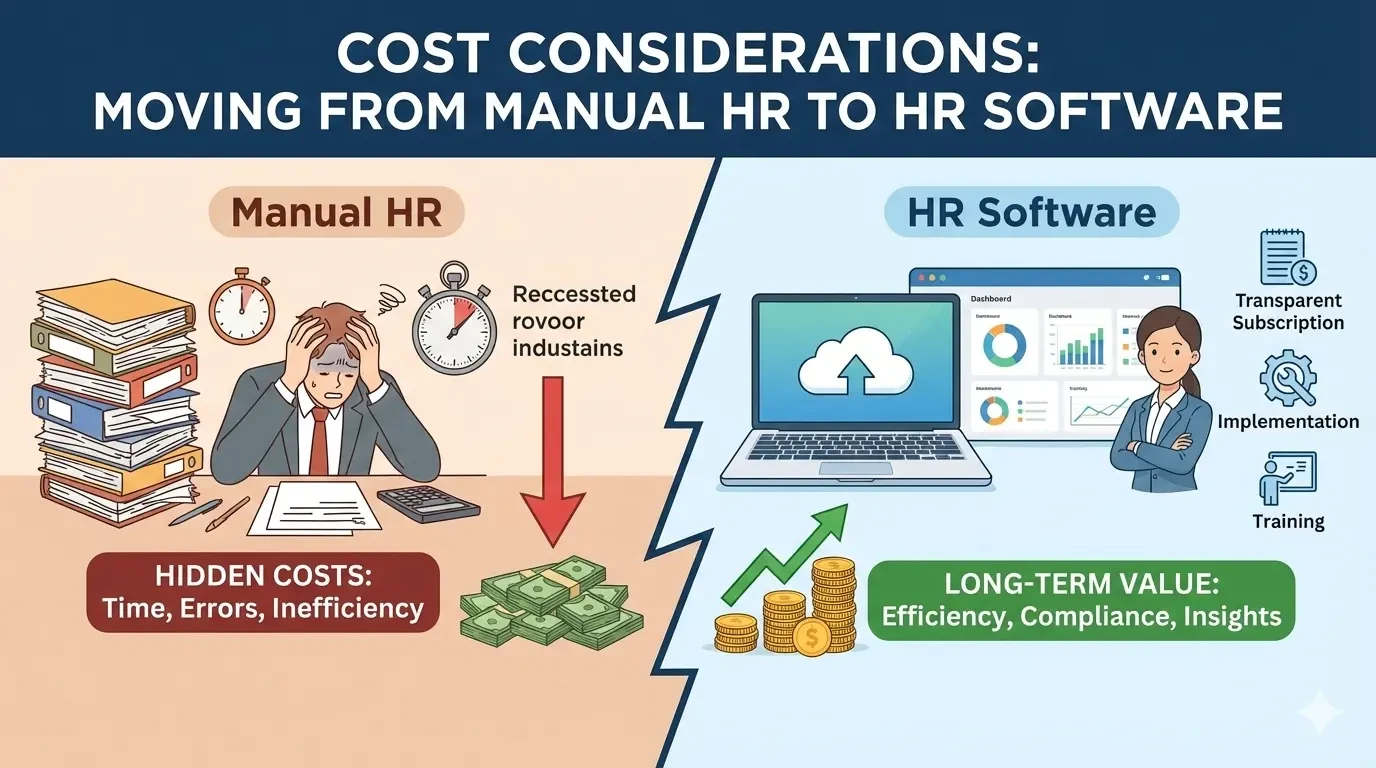
Hidden costs emerge as headcount increases. HR teams spend more hours updating records and resolving discrepancies. Payroll errors appear more often during salary changes or bonus cycles. Each correction consumes time across HR, finance, and management.
Compliance pressure compounds the issue. Labor laws change. Tax rules vary by location. Filing deadlines remain strict. Manual tracking increases the risk of missed updates or late submissions. Even without penalties, leadership time shifts from planning to issue management.
These operational inefficiencies create financial strain long before any obvious failure occurs.
2. What This Topic Means for Businesses
Manual HR refers to people operations handled through spreadsheets, shared drives, emails, and disconnected tools. The approach depends heavily on individual discipline and institutional memory.
HR software centralizes employee data, payroll logic, compliance tracking, and reporting in one system. Some platforms focus on payroll and statutory needs. Others manage the full employee lifecycle from hiring to exit.
These systems support coordination between HR, finance, and operations. Payroll accuracy depends on clean data. Compliance depends on rule tracking and audit logs. Reporting supports cost planning and oversight.
Small teams with stable headcount may manage manually for a limited period. Businesses with growth plans, regulatory exposure, or distributed teams face higher long-term cost without structured systems.
Understanding cost considerations helps leaders plan transitions instead of reacting to breakdowns.
3. Core Explanation: How These Systems Work in Practice
Employee Data Handling
Manual systems store employee information across files and folders. Updates rely on consistent human follow-through. Version conflicts and outdated records appear as teams grow.
HR software maintains a single employee record. Personal details, compensation, tax status, and policy acknowledgments live in one place. Access controls protect sensitive data.
Data consistency improves. Changes flow automatically into payroll, reporting, and compliance records. This reduces rework and mismatch across departments.
Payroll Processing
Manual payroll relies on attendance sheets, formulas, and manual checks. Errors increase during hiring, role changes, or variable pay cycles. Corrections often carry forward into future runs.
Software systems use rule-based payroll engines. Pay structures, deductions, and statutory logic apply consistently. Teams review outputs before approval instead of recalculating from scratch.
Automation lowers repetitive effort while keeping human oversight in place.
Compliance Tracking
Manual compliance depends on calendars and personal awareness. Rule changes may go unnoticed. Audit preparation requires gathering data from multiple sources.
HR software tracks compliance obligations inside the system. Audit trails log salary edits, tax changes, and approvals. Reports generate directly from system records.
Compliance becomes part of daily operations rather than an occasional scramble.
Reporting and Audits
Manual reporting requires data consolidation. HR and finance teams reconcile numbers across files. Audit requests disrupt routine work.
Software systems produce standardized reports for payroll, compliance, and workforce analysis. Data exports integrate with accounting tools. Audit readiness improves through traceable records.
Reporting accuracy still depends on correct setup and disciplined use.
4. Comparison Table: Manual HR vs HR Software
| Area | Manual HR Processes | HR Software Systems |
|---|---|---|
| Employee records | Spreadsheets and files | Centralized digital records |
| Payroll accuracy | High correction effort | Rule-based processing |
| Compliance handling | Manual reminders | System tracking and logs |
| Operational impact | High admin workload | Reduced repetitive tasks |
| Cost visibility | Hidden labor cost | Predictable operating expense |
| Risk exposure | Dependency on individuals | Lower risk through controls |
5. Business Evaluation Checklist
✔ Central employee data storage
✔ Payroll automation with review controls
✔ Compliance tracking and audit logs
✔ Reporting for finance and audits
✔ Integration with accounting systems
✔ Support for future headcount growth
This checklist helps teams align system scope with real operational needs before committing budget.
6. Pricing and Cost Structure Explanation
HR software costs include more than subscription fees. Understanding pricing models clarifies long-term impact.
Per Employee Per Month
Most vendors charge based on active employee count. Costs increase as teams grow. This aligns expense with usage but requires forecasting during hiring phases.
Add-On Modules
Core HR functions may exclude payroll, compliance, or advanced reporting. Each module adds recurring cost. Businesses often expand usage over time, which raises monthly spend.
Implementation and Onboarding Costs
One-time setup fees cover data migration, configuration, and training. Complexity increases cost. Multi-location payroll or regulatory scope requires additional effort.
Support and Ongoing Management
Premium support, customization, or dedicated account management often sit behind higher plans. Internal admin time forms part of total cost even when external support exists.
Prices vary based on company size, geography, compliance needs, and integration depth. Public pricing rarely reflects full ownership cost.
7. Risks, Limitations, or Trade-Offs
Transitioning to HR software introduces trade-offs.
Setup takes time. Poor configuration leads to incorrect payroll outcomes. Skilled internal ownership remains necessary.
Ongoing management continues. Tax updates, policy changes, and employee lifecycle events require regular oversight.
Cost creep may occur. Add-on modules, user growth, and support upgrades increase spend over time.
Some systems limit flexibility. Businesses may adjust workflows to match platform design. Customization solves this issue but adds maintenance effort.
Balanced planning reduces the risk of replacing one problem with another.
8. Common Mistakes Businesses Make
-
Waiting until errors escalate before budgeting for systems
-
Selecting software without mapping HR and payroll workflows
-
Ignoring jurisdiction-specific compliance needs
-
Overbuying advanced features early
-
Assigning no internal system owner
-
Treating subscription cost as total cost
Each mistake increases operational friction or long-term expense.
9. Graphs or Insight Visuals Explained
One useful graph plots total HR cost against employee count. Manual processes show a sharp rise as admin time and error correction increase. Software costs grow more steadily due to predictable pricing.
Another chart compares payroll error frequency over time. Manual systems show spikes during hiring or policy changes. Automated systems stabilize once configured.
These visuals show predictability as a major cost factor.
10. Practical Summary
Moving from manual HR to software involves direct and indirect costs. Manual processes appear inexpensive early yet create hidden labor expense and risk as organizations scale.
HR software introduces subscription fees, setup effort, and ongoing management. In return, it offers predictable operations, reduced error exposure, and clearer cost visibility.
Decision-makers benefit from assessing growth plans, compliance scope, and internal capacity before transitioning. A measured approach aligns investment with real operational needs and supports sustainable business growth.